HubSpot Module
The HubSpot module in LoyJoy supports creating new contacts and updating existing ones in HubSpot. When the module is executed, it checks whether a contact with the provided email address exists. If it does, the contact is updated; otherwise, a new contact is created.
Acquire an API Token
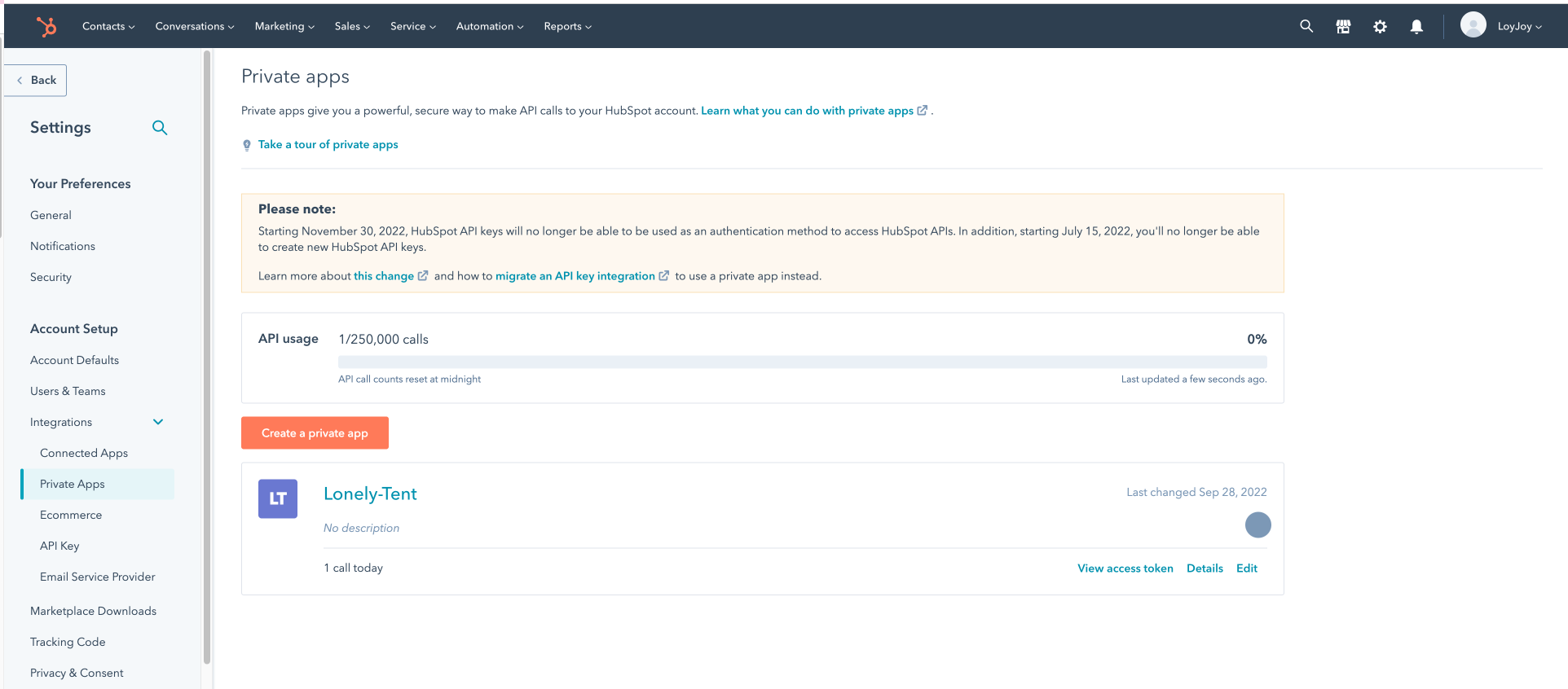
Create a New App in HubSpot
- Navigate to your HubSpot account and create a new app.
- Assign the necessary privileges under the "Scope" tab.
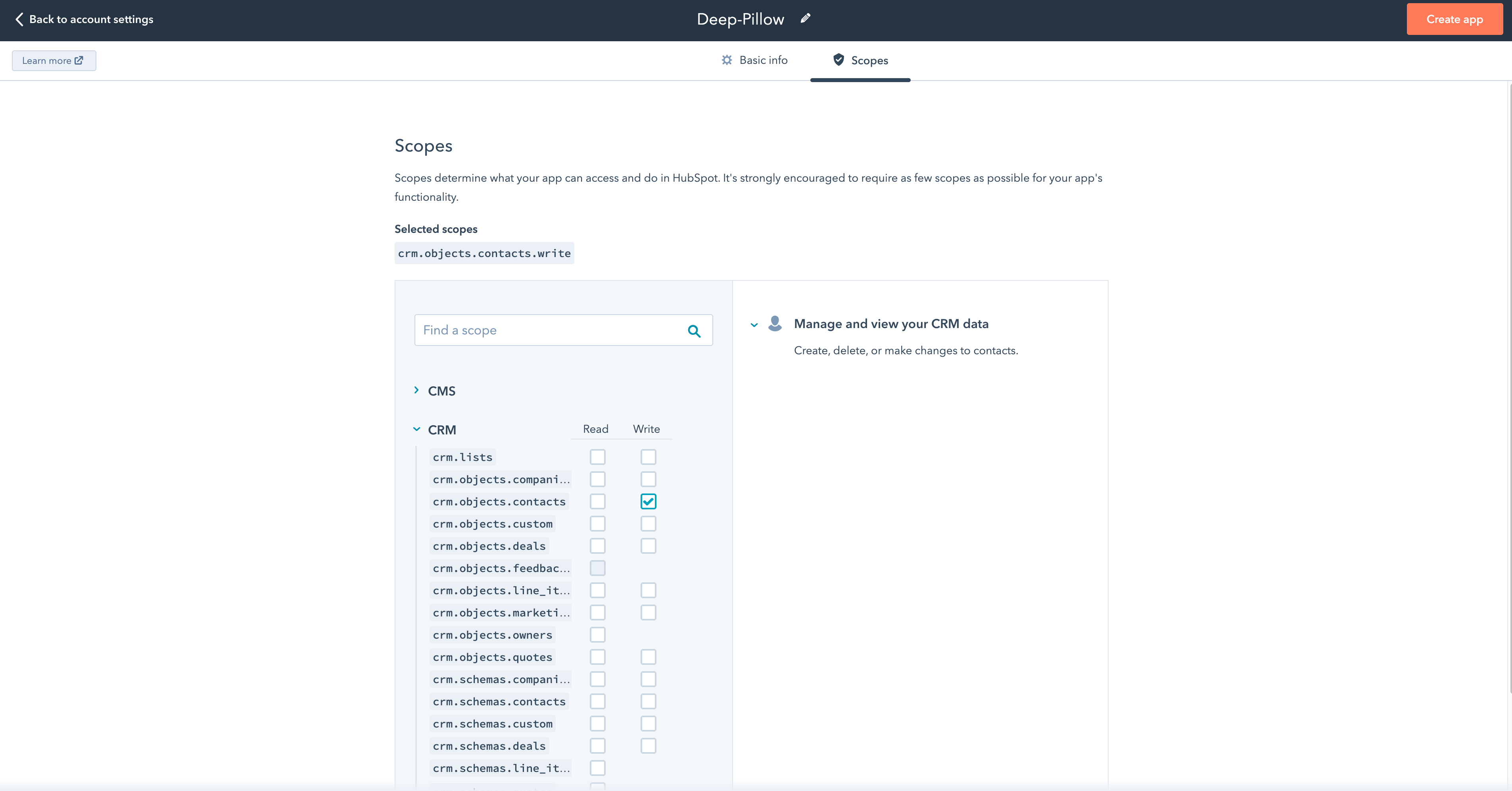
For further information refer to the official HubSpot documentation.
Map the Contact Properties
You can retrieve an overview of your contact properties in HubSpot under the contacts section.

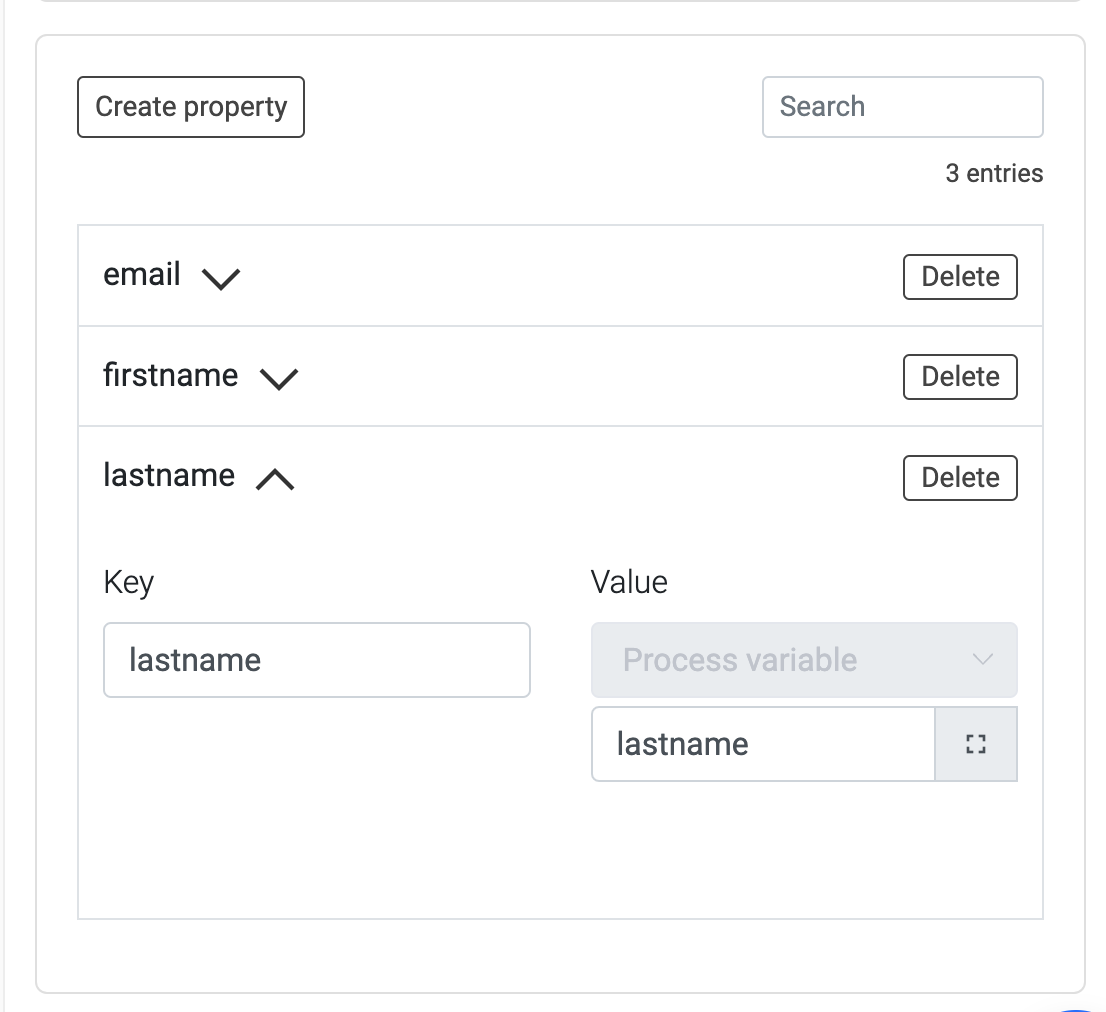
It is mandatory to map the email property in the HubSpot module. If the email property is not mapped, the module will not work.
Create the properties you want to send in LoyJoy, for example in a Questionnaire or with the Variable module.
Double Opt-in for Newsletter
A double opt-in for newsletter subscription can be triggered via HubSpot. The instructions can be seen in this YouTube video or in this HubSpot support article.
Set the Contact Source
You can set the contact source in HubSpot by using the hs_analytics_source property. You can set pre-defined values such as DIRECT_TRAFFIC, PAID_SEARCH, or PAID_SOCIAL.