LoyJoy Headless: connect Claude, ChatGPT and other MCP clients
With LoyJoy Headless you work with LoyJoy from an AI assistant instead of the Manager. The setup takes about two minutes:
- Add the LoyJoy Manager MCP server with the URL
https://app-cloud.loyjoy.com/mcp. You log in once with your LoyJoy account, no API key needed. - Add the LoyJoy plugins so the assistant edits your agents reliably.
- Start modelling. Describe a change in plain language.
LoyJoy Headless is included in all plans. One connection reaches all your tenants, and the assistant acts with the roles of your LoyJoy user. The product overview is on loyjoy.com.
In Claude Team and Enterprise, only owners can add custom connectors. An owner adds the connector once under Organization settings > Connectors, then every member logs in with their own LoyJoy account.
Claude
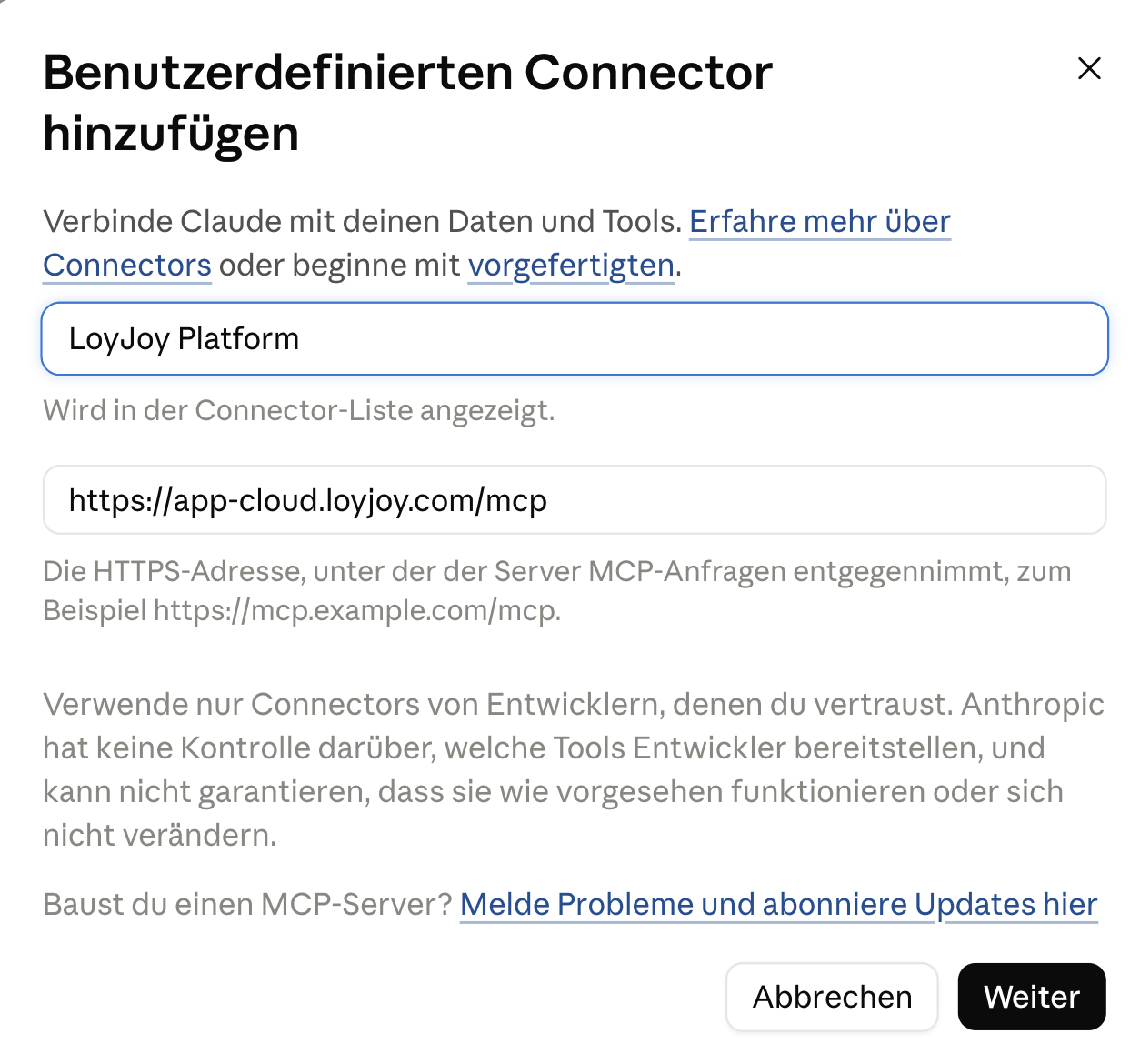
- Open Settings > Connectors, add a custom connector with the name "LoyJoy Manager" and the URL
https://app-cloud.loyjoy.com/mcp. Log in to LoyJoy when asked.
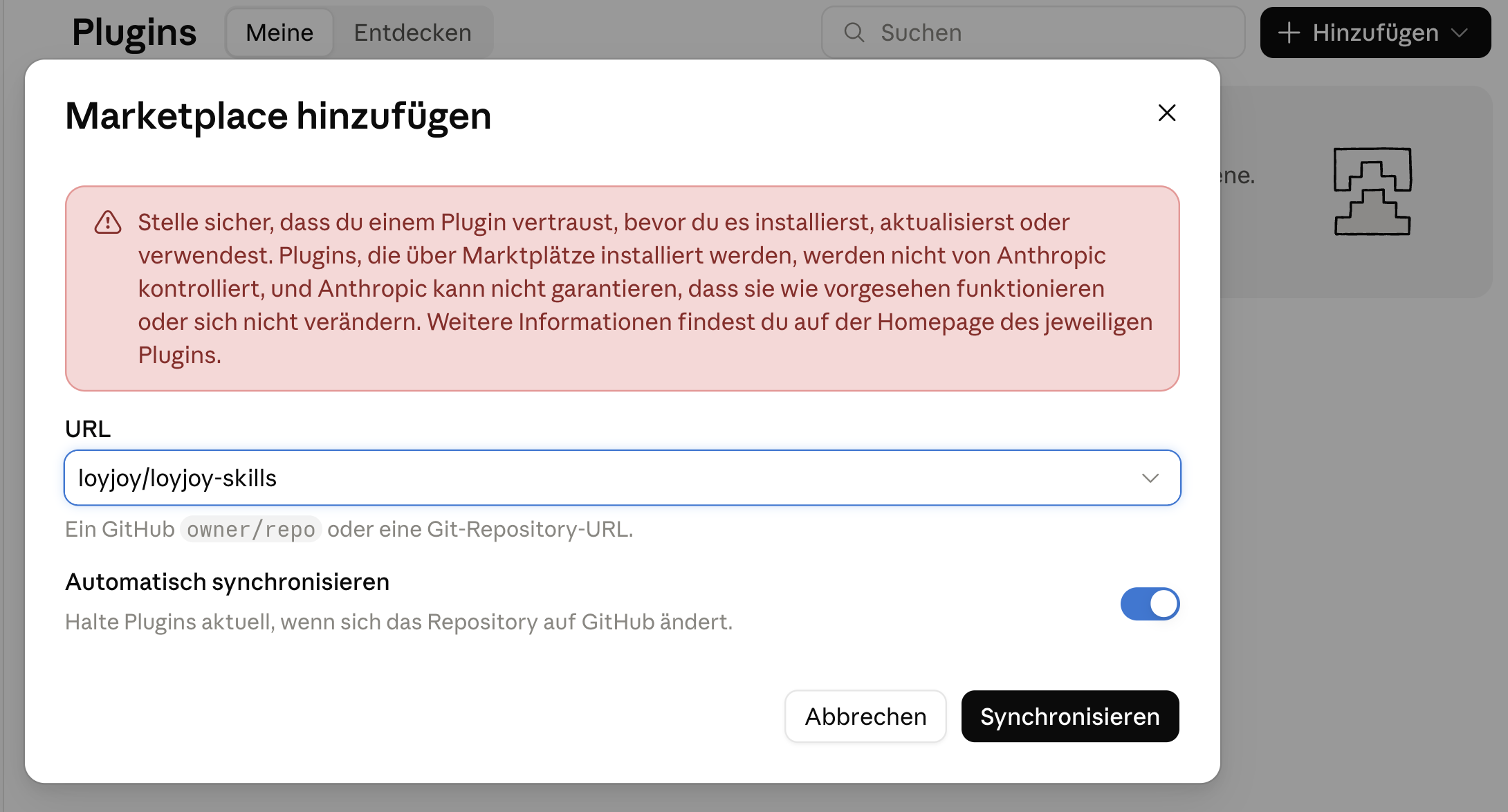
- Open Settings > Plugins, click Add > Add marketplace and enter
loyjoy/loyjoy-skills. Click Sync.
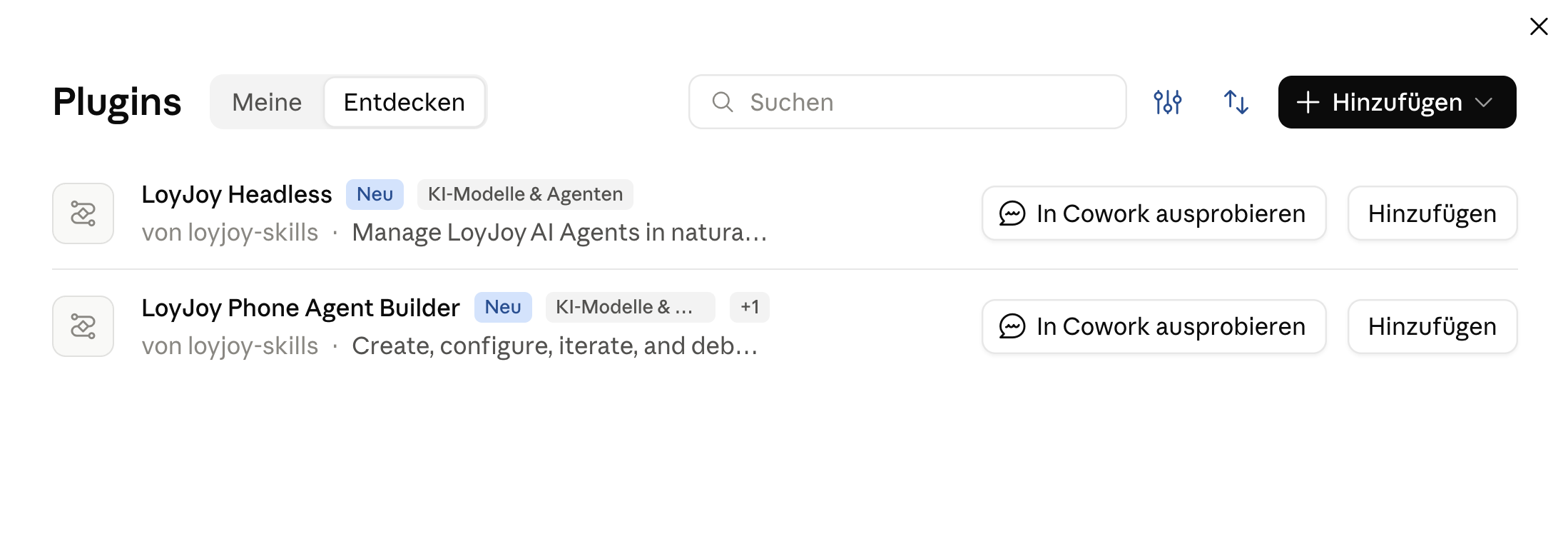
- Switch to Discover and add LoyJoy Headless and LoyJoy Phone Agent Builder.
Using Claude Code? Run:
/plugin marketplace add loyjoy/loyjoy-skills
/plugin install loyjoy-headless@loyjoy-skills
/plugin install loyjoy-phone-agent-builder@loyjoy-skills
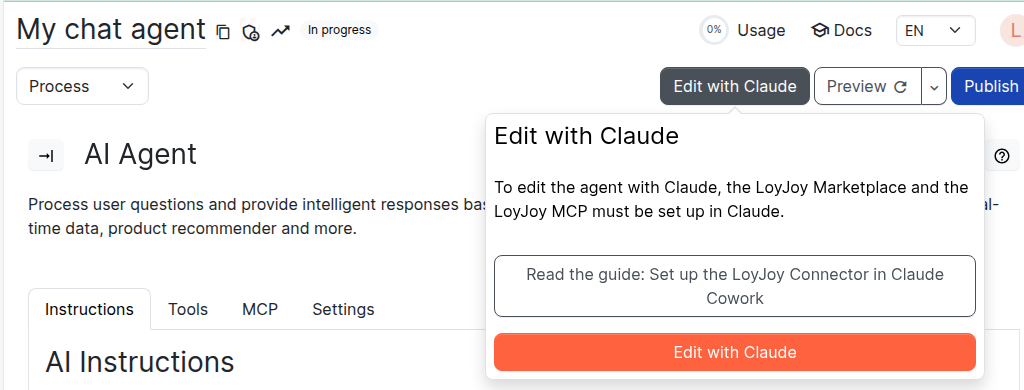
Tip: in the process editor of any agent, click Edit with Claude to open Claude with the agent already referenced.
ChatGPT (Codex)
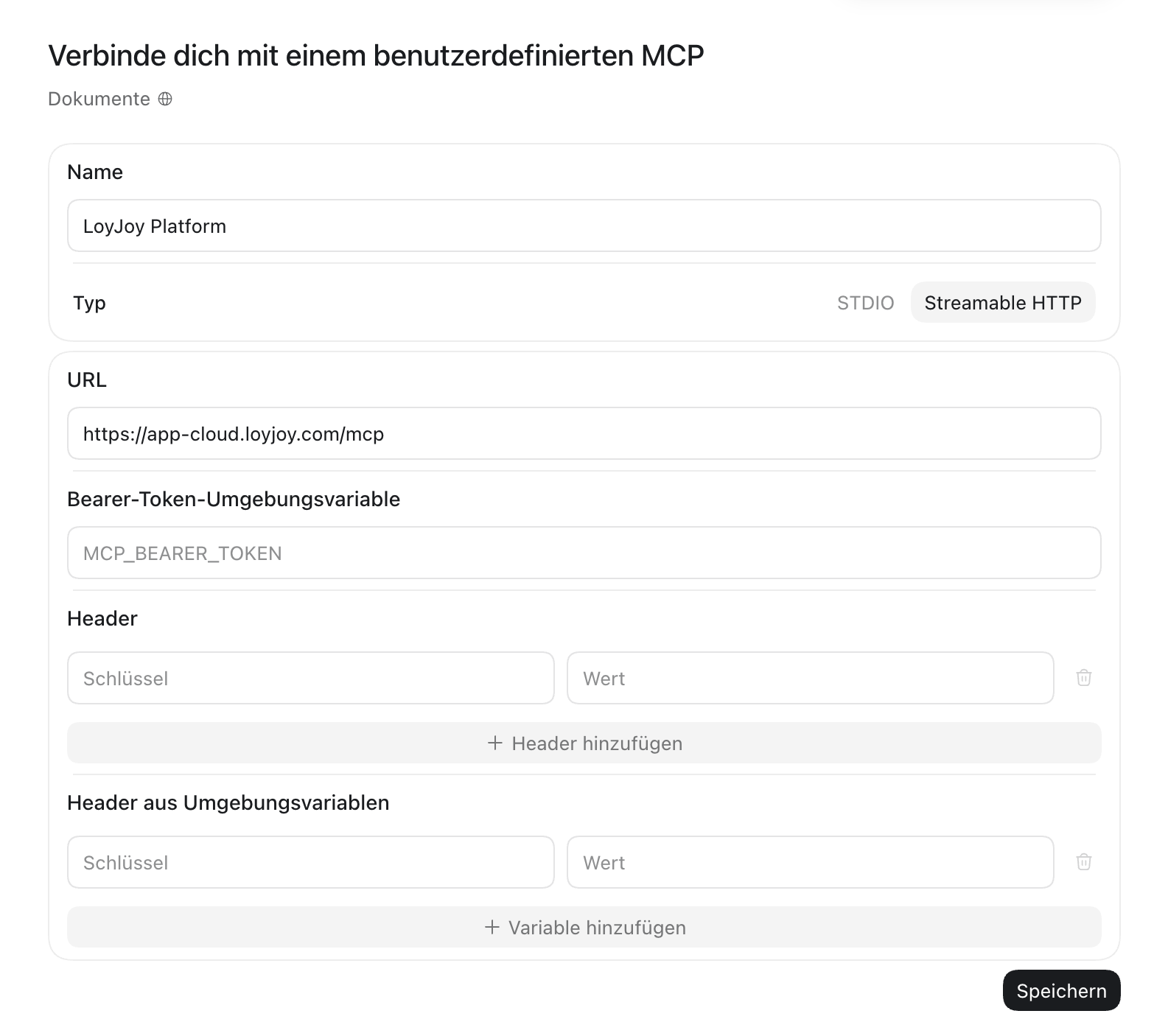
- Open Plugins, click Add > Add MCP server. Enter the name "LoyJoy Manager", switch the type to Streamable HTTP and enter the URL
https://app-cloud.loyjoy.com/mcp. Leave all other fields empty, save and log in to LoyJoy.
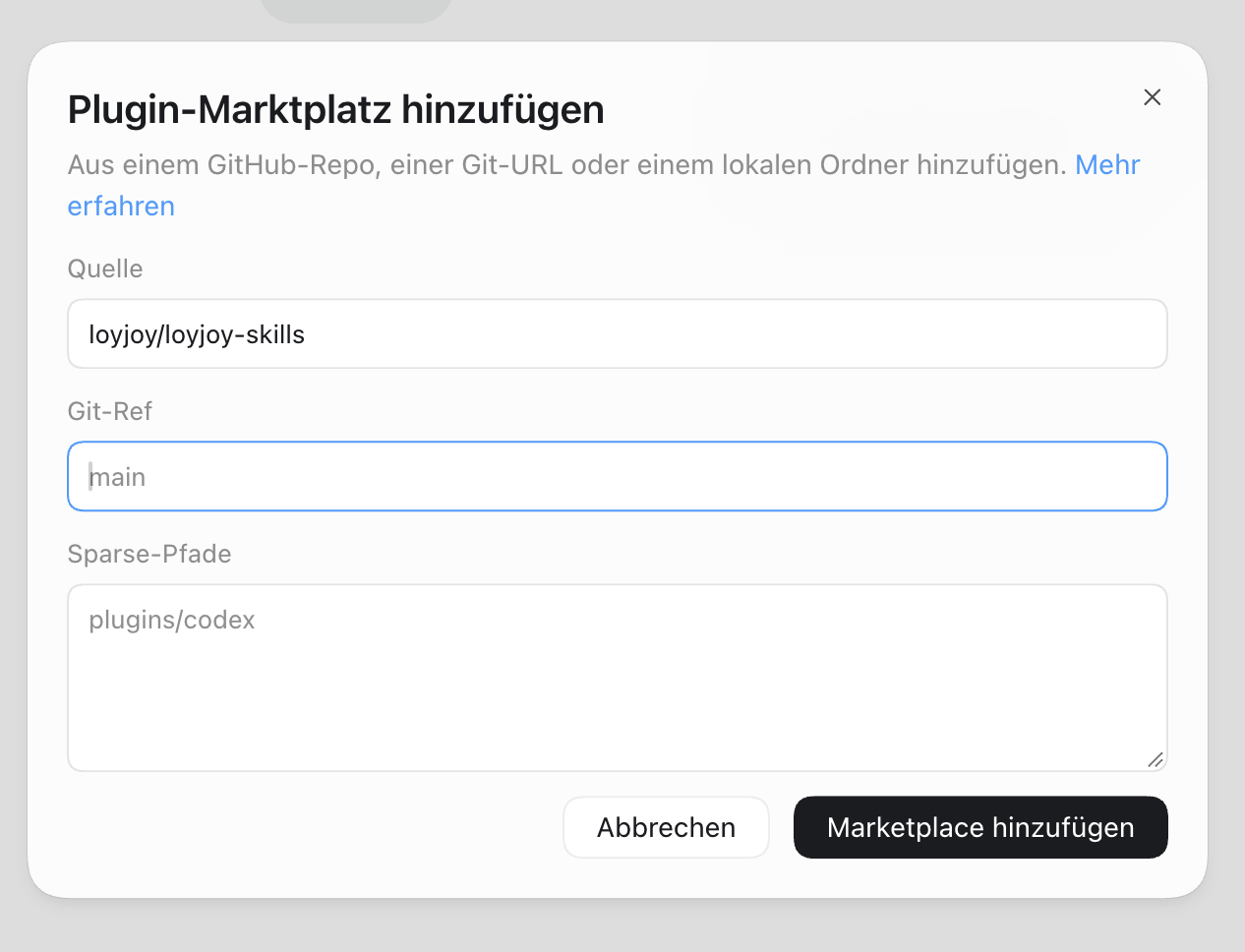
- Click Add > Add plugin marketplace, enter
loyjoy/loyjoy-skillsas source andmainas Git ref.
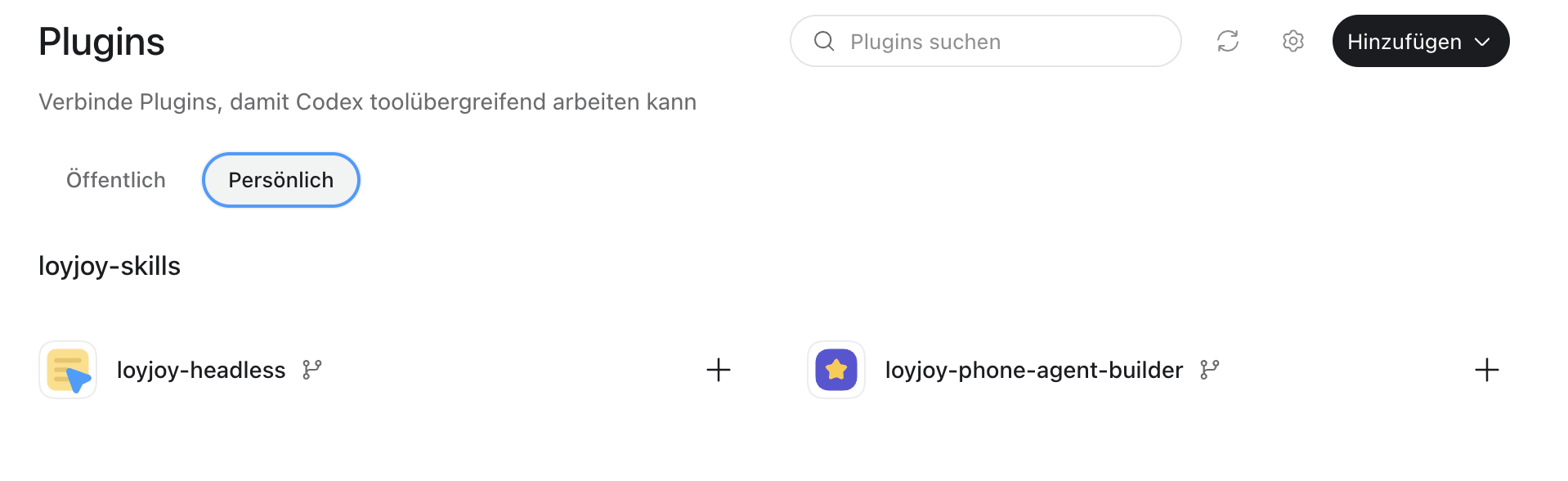
- Switch to Personal and click + next to loyjoy-headless and loyjoy-phone-agent-builder.
Microsoft Copilot Studio
In Microsoft Copilot Studio, add the LoyJoy Manager MCP server as a tool of an agent with OAuth 2.0 and Dynamisch (mit Ermittlung), then log in to LoyJoy. Copilot Studio needs an environment with Dataverse and Copilot credits. See the step-by-step guide Connect LoyJoy Headless to Microsoft Copilot Studio.
Other clients
Gemini, OpenWork, OpenCode and other clients work if they support remote MCP servers with login (OAuth). Add the URL https://app-cloud.loyjoy.com/mcp. If your client supports skills but no plugins, copy the folders from plugins/*/skills/ in github.com/loyjoy/loyjoy-skills into its skills directory.
Example prompts
- "In LoyJoy create a chat agent for our website https://www.example.com and use the website as knowledge source."
- "In LoyJoy create a phone agent for our service hotline that answers questions based on https://www.example.com."
- "In LoyJoy edit the agent 'Live Chat'. Set the opening hours to 10am to 6pm."
- "Which questions could the agent 'Live Chat' not answer last month? Suggest how to close these gaps."
- "Publish the agent 'Live Chat'."
Staging and publishing
The assistant changes the staging version of your agent. Your live agent only changes when you publish. The assistant can test the staging version itself with test messages. We still recommend testing it yourself before you publish. Every published version is kept, so you can restore an earlier one at any time.
Data protection
The assistant sees your agent configuration and anonymized analytics. Conversations and other personal data of your end customers are not available, so they never reach your AI provider. Security and compliance documents are in the LoyJoy Trust Center.
Troubleshooting
- The login does not open: check the URL. In Codex, the type must be Streamable HTTP.
- The assistant can read but not change: your LoyJoy role in this tenant has no edit rights for agents, see Invitations and Roles.
- The assistant does not use the plugins: check that they are installed and mention LoyJoy in your prompt.
Looking for a single AI Agent as MCP server with an API key? See LoyJoy Agent as MCP Server.
Planning a company-wide rollout with SSO? A LoyJoy project manager supports you through to go-live.