Home Views
The Home View is a way to make multiple agents selectable in a single view. It only functions as a start page to visually display individual agents in an overview. The branding of the Home View is generally independent of the Agents and is no longer inherited.
Create new Home View
You can find all your Home Views in the backend right next to your Agents. To create a new Home view either start a blank Home View from the beginning or enter your token to copy an existing Home View on the orange button in the upper right corner.

Build your Home View
Find out how to build an exciting LoyJoy Home View right here.
Integrate Home View into Agents
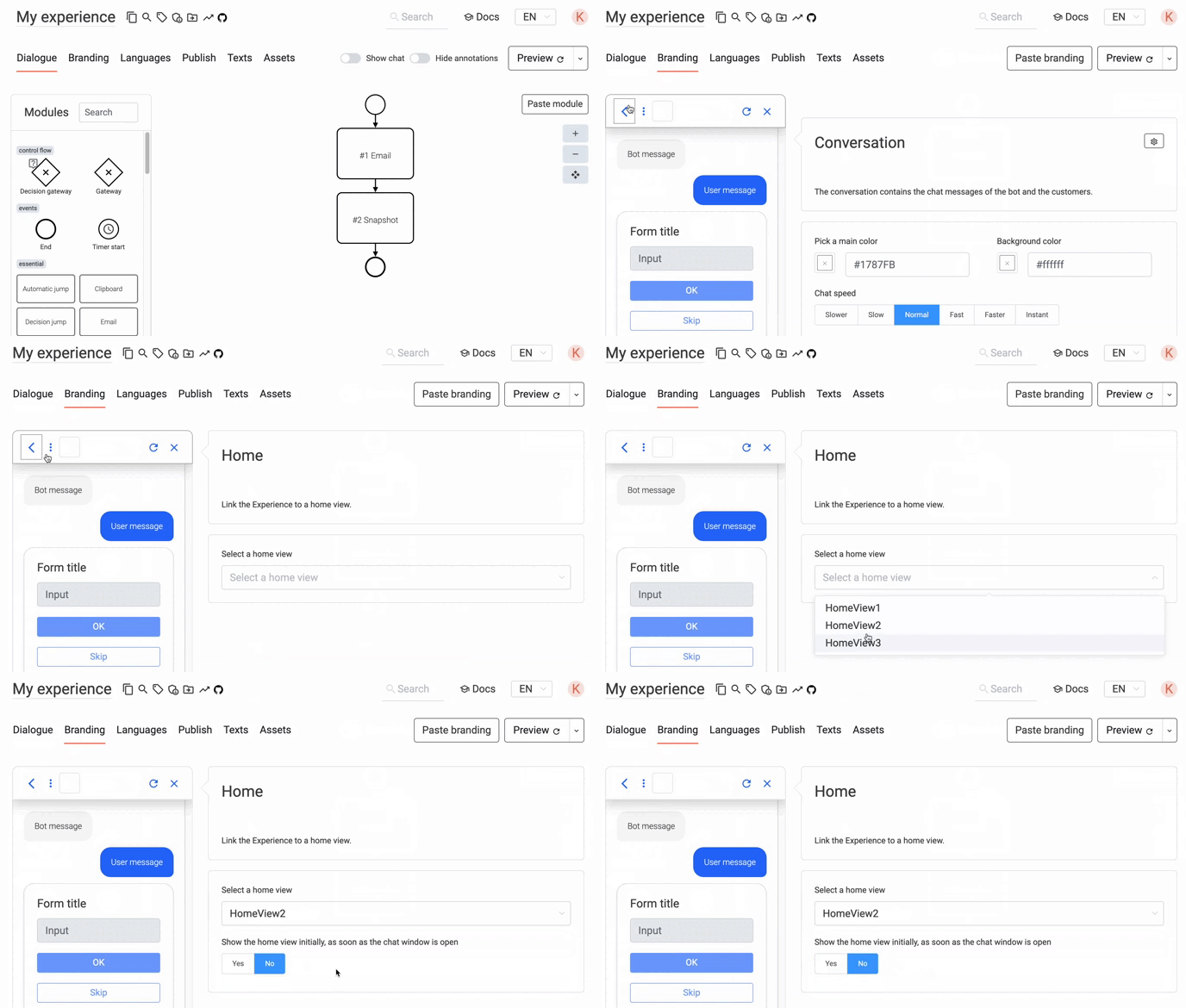
To connect your agent with your Home View go to the branding settings of your agent and click on the arrow as shown below. Select the Home View you wish to connect and you are good to go!
Connect Different Home Views to One Agent
You can connect multiple Home Views to one Agent, e.g. for different target
groups or use cases. To do this, you have to add the parameter
view to your integration code and add the ID of the Home View you want to use with your
agent.
You can find the Home View ID in the URL of your Home View in the backend (when
you are editing it). It is the last part of the URL after /homeviews/ and
before any ? or #.
Example:
<script async defer src="https://stable.loyjoy.com/widget.js?process=00000000-0000-0000-0000-000000000000&view=11111111-1111-1111-1111-111111111111"></script>